
Why the harder you work to prove to Microsoft you know better, the less chance it will ever happen
Disclaimer: I do not work for Microsoft and these are my views based on discussions with multiple people at Microsoft which I have stitched together – maybe I misunderstood everyone and this is all wrong too. All examples I use are my own. I am no lawyer – check with a lawyer for legal & license advice.
tl;dr: Microsoft is really worried about being sued and thus is risk adverse to “stuff from the internet”. It is better to tell Microsoft what you dislike, not how to fix it. Learn about licensing content.
Paper Work
A few years ago I went on an amazing trip to work with Microsoft but before I could do that I needed to sign not only a NDA, but also waivers for the work I would do – which makes sense. I did it for free and Microsoft didn’t want me to sue them for money later for my work. Not only that I had to sign them, my employer had to do the exact same thing. Once again because I work for someone else who could claim money from Microsoft and Microsoft lawyers had deemed that a risk and needed to be protected.
This involved a lot of time and money, it is VERY expensive to have lawyers review documents from other lawyers and the DHL the originals half way round the world, but it is far cheaper than being sued.
I know that neither myself of BBD would sue Microsoft for the work I did, but that doesn’t still the hearts of those lawyers who live in a world of ugly mean liars that will cheat the system if it was easy and good. I wish it wasn’t this way but some wishes don’t happen.
The Users Voice
A while back Microsoft started spinning up loads of uservoice.com (UV) sites to collect feedback and I believe they are successful in getting some things changed. There is an odd issue I see on UV especially with how Microsoft deals with it, that being as technology advanced users & developers we are taught to give the most detail as possible – really there is nothing like too much detail… however in UV, it seems that Microsoft ignores them and favours those who do and give very little. A great example of this, is in Visual Studio land where we can compare the current top two ideas: this short idea which is “under review”

versus to this guy who has pages of details and even as taking the design and proving a lot of it could work – for all his hard work, nothing.

WTF?! Microsoft doesn’t listen to me
If you read both suggestions they seem to say the same thing except the lazy guys one got the reward, right? No – it is more fundamental than that. The first one is really just discussing the what & why the VS colour change that is an issue, the second piece of feedback though is discussing how to fix it. The problem for Microsoft is if they take the second guys stuff, a person who hasn’t signed a waiver, the how guy has a legal ability to sue Microsoft for the money they owe him for work/royalties etc… And Microsoft legal won’t allow that to happen because that is their job, to protect Microsoft legal issues.
This is not a complaint about legal, I am sure they are nice people that are just doing their job and it is annoying their job and my wishes do not align...
The thing about taking the what feedback is Microsoft is pretty safe in taking and improving VS in anyway they see fit and that is why the what & why is under review and not the how.
Licensing & Public Domain
The next that will be brought up is that this is work in the public domain and thus “free”… wrong. Public domain work is more a legal trap than anything, and there is so many steps that you need to jump through to get access to using that “free” work that often it is easier to redo it yourself. This is why ANYTHING you do should have a license, even if you want to just give it away and never see it again or if you want someone like Microsoft to be able to use it.
For software check out a good open source license, such as BSD 3-clause which basically says do what you like with my work and I promise I won't sue you except if you use me as an endorsement for your product which contains my work. For non-code items, like art, music or blog posts have a look at the creative commons licenses.
Microsoft can fix this too
Microsoft could reach out to people with good ideas and get them to sign waivers (WAY too much work and also maybe risky after the work is provided), but better would be to adopt an approach like StackExchange (SE) does. SE states if you provide feedback on their sites it is creative commons.
Microsoft could do the same and even put in a waiver clause on UV, I don’t know if UV allows for this, but Microsoft is big enough to get it done. It doesn’t solve great ideas that are posted elsewhere, those still required YOU to take the time to learn a little about licensing, public domain and so on and take the right steps so we can ALL benefit… not just the lawyers who get paid to say no.
South African ID Numbers: The racial identifier flag
Introduction
In a previous post on what makes up an ID number I mention that
The second last number used to be a racial identifier but now means nothing.
But I never went into the topic so lets dive into the options – today it is for almost everyone 08 (I suspect a 09 or two may be floating around) but in the “bad old days” there was a variety of options:
| Population Group | S.A. Citizen | Non-S.A. Citizen |
| White | 00 | 10 |
| Cape Coloured | 01 | 11 |
| Malay | 02 | 12 |
| Griqua | 03 | 13 |
| Chinese | 04 | 14 |
| Indian | 05 | 15 |
| Other Asian | 06 | 16 |
| Other Coloured | 07 | 17 |
For my non-South African readers the use of Coloured as a group here is not the same as the American racial slur, in South Africa we have a population group called Coloured: http://en.wikipedia.org/wiki/Coloured
How did we change from the old to the new?
So what happened to those bits as we do not have them now? In 1986 there was the introduction of a new law: Identification Act no 72, which caused the law that made the classification (and a horrible concept where every black person had to carry a “Pass Book”) repelled.
So over the course of 1986 and 1987 everyone in South Africa was issued a new ID number and somewhere inside the government there is a database that maps old ID numbers to new ones for people born before 1986! I can’t remember what this was process was like, since I was about 4 years old at this point. This means though I have a different number on my birth certificate to what I use now!
The MVP award
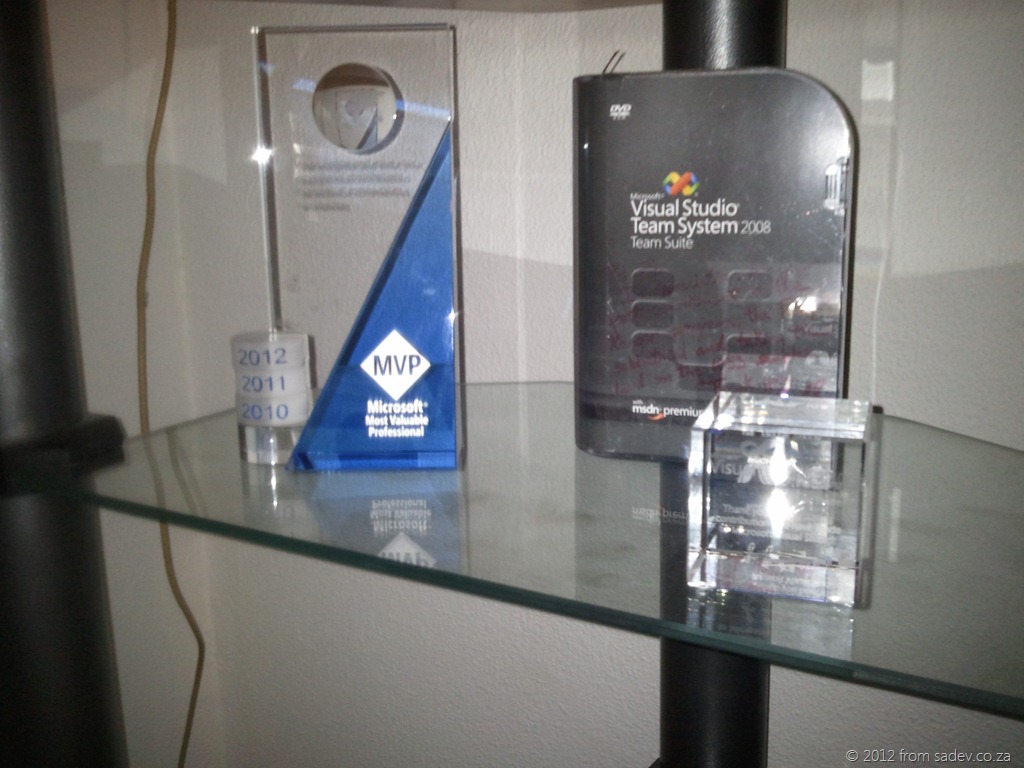 Being a MVP gets you very little, some status boost in those who misunderstand it (MVPs are not awarded for technical skill & a lot of people think MVP = expert), a MSDN subscription, a lot of paperwork (including multiple NDA’s), some access to product teams (this varies from product team to product team – some have great interactions others are poor) and a trophy.
To the right is my MVP trophy (as well as ALM Rangers award and MVP of the year cube) and I think it looks pretty awesome but how does it get to me?
In this post I want to take a slightly tongue in cheek look at the box the MVP award comes in and what it is saying about MVP’s.



Above you can see the three years of the trophy box. So lets analyse those box covers. I am assuming that the person on the box is supposed to represent MVP’s.
- MVP’s are dress smart casual always – chinos & a blue shirt are required. Hah, not likely.
- MVP’s have neck problems causing them to tilt their heads. This is likely true from all the time people spend at their machines.
- MVP’s always have their laptops with them. Also likely true. Next year he better have a Windows 8 tablet though.
- Interesting that 2010 guy got one cover while 2011 guy got to come back in 2012. Guess 2010 guy wasn’t re-awarded

- 2011 guy has gotten smaller in 2012 – are we shrinking away or did Mr 2011 not do enough work?
- In 2010 and 2011 the ghosts of MVP’s past are clearly standing in support for the MVP. In 2012 they aren’t concerned anymore and just chatting with each other.
What would I do differently? Easily, take a photo from MVP summit with real MVP’s engaging with each other and put that on the cover. What may be nice is to have new 2012 MVP’s (i.e. first timers) get together to pose for it and so there is extra incentive for 2013 – a box with real MVP’s that could include you.
Platforms > Implementations
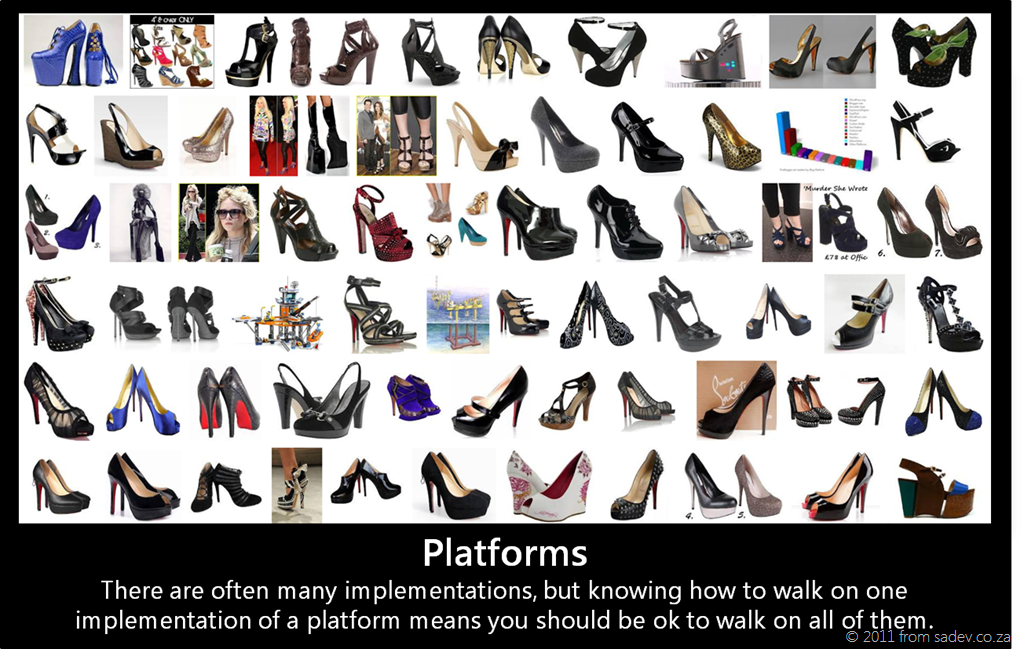 I recently read an insightful post about how being a developer is less about coding and more about tooling, and while I do not agree with all of the post, the fact we as developers are tool obsessed rings very true. This obsession with tools becomes a white hot rage when our favourite tool is threated with extinction or causes a world of panic when a competing tool is proposed without enough information on it.
Let’s look at two key examples of that:
- WinForms was very popular and when Microsoft brought us WPF, there was major push back from those who did not want to change and learn a new tool. If you reading this, then you are thinking well time solved that, I disagree. This very week I was asked about WinForms vs. WPF again. Time doesn’t heal all wounds, it just gives some of us time to move on.
- To illustrate the world of panic I can use a more recent issue – Windows 8! Remember all the discussion before //Build about the death of <insert your favourite tool here>? The confusion caused by incomplete discussions around tools we love caused panic.
So what is the solution to this? I think simply a mind set change would be enough. The mind set change needed is to remember that a platform is more important/powerful/useful than a tool. I would like to take credit for this idea, but the first time I heard anyone mention this was a few years back and it was Scott Hanselman talking on MVC almost three years ago to the day. He mentioned that ASP.NET > ASP.NET Web Forms and ASP.NET > ASP.NET MVC. In short he was saying that the core understanding of ASP.NET, the core features and the core uses of the platform are bigger than a single implementation (tool) could be. Sure, you need to learn a new tool, but you aren’t starting at zero if you know the platform.
 Why I am bringing this up? It is because of the discussions I have been having about another tool recently: Silverlight. We are approaching the panic stage on this tool due to rumours of it’s demise. However it is VERY important to take a step back and see what the platform is and how knowing the platform means that a tool can move along and we are still able to work/code/make money etc…
The platform Silverlight uses is XAML based UI technologies, a core set of how we can layout UI components using an XML dialect called XAML. This platform also has lots of options for things like binding, the MVVM patterns and so on that are either difficult or impossible to do with other UI technologies (like WinForms for example).
XAML based UI technologies started with a single tool: WPF – an implementation of the platform designed to run on top of the .NET Framework. A second tool, Silverlight, later appeared – this is an implementation of the platform designed to run as a plugin in a browser. A third tool, Silverlight for Windows Phone 7, came next and while very close to Silverlight it had it’s differences as it was an implementation of the platform for the phone. In the last few months we have had the forth implementation of the XAML based UI technologies appear: WinRT. This is the Windows Runtime in Windows 8 and when you develop with C#, VB.NET or C++ your UI technology is just another implementation of the platform.
Every implementation of the platform has been different, some in big ways and some in smaller ways but the core of the XAML based UI technology platform hasn’t changed and there is not a single rumour, plan, or hint that we are even close to seeing the end of XAML based UI technologies. We may see a tool end of life and die (like some rumours say about Silverlight) or other tools just find completeness and not need new work done (like WPF if) but the platform remains and grows and learning a platform is always more important/powerful/useful.
Lightswitch is on SALE!
 Very different from my normal ramblings but I thought worth a quick post, Microsoft has Lightswitch on sale at the moment for 33% off the price! This is a world wide offer so you can get it via your distributors, LARS or from the Microsoft Online Store.
So if you are looking to get started in Lightswitch, NOW IS THE TIME!
Tech·Ed Pro Tip: Travel Advice
 Last year I wrote two posts (finding the best talks at Tech·Ed & why is the Tech·Ed calendar is awesome) which really aimed to help improve your Tech·Ed Africa experience. They are both still relevant this year but I thought of one new tip to share and that is related to travel.
Short version: Book your inbound flight EARLY, your outbound flight LATE and stay at the HILTON.
Why inbound early?
Day 1 is a busy day for you – after you land you need to find the shuttle from the airport to the conference venue. I got separated from the group and lost in the airport last year  . Once you are at the conference venue you need to register and get your swag (do this before you go to the hotel) then you need to find the bus to get to your hotel, if you follow the tip below about the Hilton this is easy else you may have a small wait. Once at your hotel, check-in, sort out stuff, see what the swag is etc… and then finally find the bus (wait) and get back to the conference venue for the keynote & opening party. In short – it is a VERY BUSY DAY, so having an extra hour or two helps.
For speakers there is also the advantage of taking that extra hour or two you can get to do a quick tech check the day before and help calm those nerves.
Why outbound late?
The last day ends with the closing keynote and those can run long – I have seen people RUN for the busses and have to drag luggage around with them in the closing because of time constraints. Plus when you get to the first few busses you have the fight for bus space! It really just messes with the last day, rather take a later flight which means you do not need to fight for bus seats or rush around.
Why the Hilton?

The Hilton in Durban is the best place to stay, as it is RIGHT next door to the ICC where Tech·Ed is held. In fact the picture to the left, the bottom left hand corner is the ICC. You don’t even have to cross a road!
So it means getting up later, staying out later (Hilton bar is famous for after parties), it means being where all the Microsoft staff, media & presenters are (great for those informal discussions in the elevator) and generally a top end experience.
Big issue, it sells out FAST so you should be booking NOW!
Follow these travel tips and you will be on your way for a great Tech·Ed!
Tweets that start with a name, do not work the way you think they do
I was put onto this interesting feature of Twitter by Scott Hanselman, where needs repeating. When you use Twitter to send a tweet all of your followers will get it, unless when you start the tweet with a name (called an @ reply). For example:

The above tweet would have been seen by everyone who follows me!

This second tweet starts with William Branders name, so only people who follow BOTH of us will see it. In other words, it is only that group in the middle of the following Venn chart which will see that tweet!

So how can you send a tweet starting with someone's name & have all of your followers see it? Start the tweet with a dot, like in the example below.

A final important to note about starting a tweet with a name, those tweets are still public. Even though your followers don't automatically see them, they could just browse to the Twitter website and find them their. If you want a tweet that is private, you a direct message
South African ID Number Tools for Windows Phone 7
16 November 2011: This application has had a major update, see the details in this post
 Following the same idea as my AA Rate WP7 app, another very popular spreadsheet I built is one that verifies South African ID Numbers so I also decided to build a Windows Phone 7 app to do that.
This does a little more than the spreadsheet could, so it has lots of info about what in an ID number does not verify which is very useful.
In addition it includes a awesome new feature a South African ID Number GENERATOR! With this you put in a few required details, hit a button and BOOM! An ID number that will validate.
Important to remember that validation of a number doesn’t mean it actually exists, just the math works. So please don’t use this for anything except interest or development!
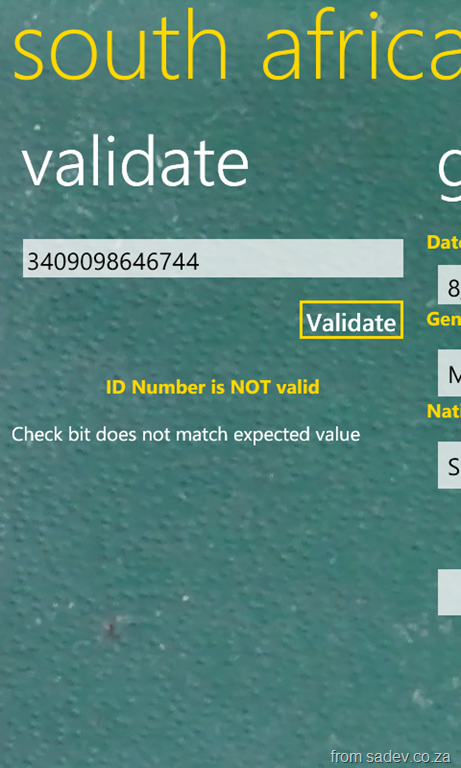
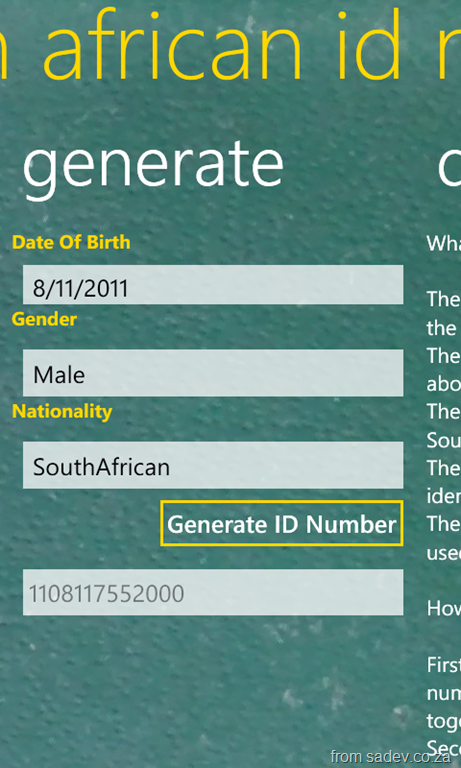

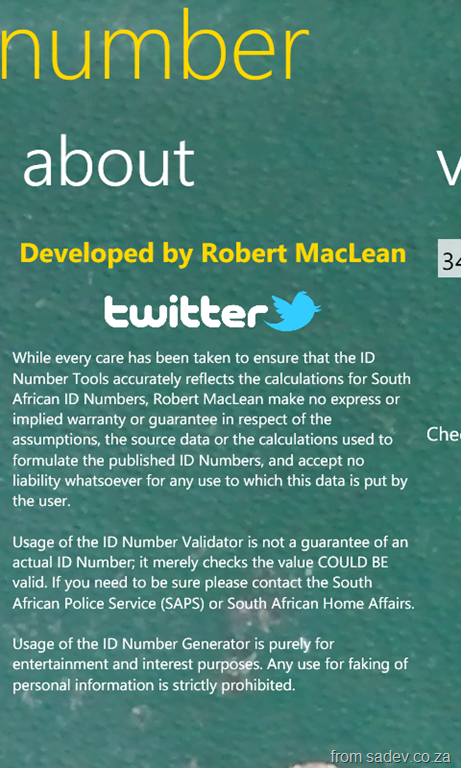
(btw screenshots are from 1.1, which is soon to be out – so if you download and it looks different then give it a day or two)

AA Rates Calculator For Windows Phone 7
16 November 2011: This application has had a major update, see the details in this post
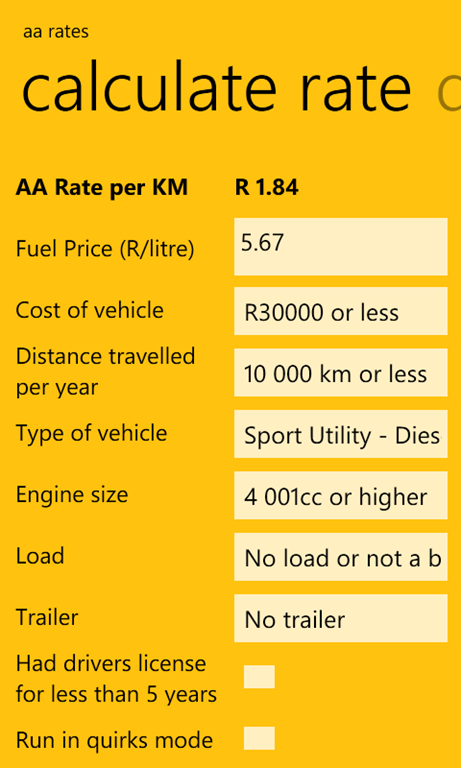
 One of the most popular posts on my website is the AA Rate calculation spreadsheet I built in 2008. The goal of the spreadsheet is you provide the details about your vehicle and it tells you what the AA Rate for your vehicle is. So I decided to rebuild this for Windows Phone 7!
This was a lot of fun because it has some complex issues (matrixes of values) which had to be solved, so that tickled my developer brain.
This also allowed me the opportunity to update the calculations since they change every so often which is important for you!
An interesting thing that I learnt with this release is that the official/documented calculations is NOT equal to what the AA online calculator does. So there is an option now called “quirks mode” which runs it equal to the online calculator where if you turn it off, it runs it using the documented mode!



Nugget: Little compiler optimisation
Found this little C# compiler optimisation which is really cool. Here is start code
int y = 0;
int x = 10;

if (x * 0 == 0)
{
    y = 123;
}

Console.WriteLine(y);
If you know a bit of math, anything multiplied by 0 always equals 0 (line 4). So the compiler optimises that out and then because x is never used that is also optimised out and you end up with
int y = 0;

if (0 == 0)
{
    y = 123;
}

Console.WriteLine(y);
So very smart 