
How to build a Mobile API or HTML 5 app in 5 minutes
Last night I had the absolute joy of spending a little more than an hour taking about Visual Studio 2013 & (more importantly) Visual Studio LightSwitch at the Developer User Group. It was great to have a standing room only session with loads of participation and hopefully I got to show off why I love LightSwitch.
This talk was mostly just me doing massive demo fun and running ALL OVER the place, we covered:
- LightSwitch 101 (create forms, add data etc…)
- Some more advance layout tricks in LightSwitch
- How LightSwitch works under the covers
- Visual Studio 2013 profile & notification features
- Visual Studio extensions
- Visual Studio Code Lens
- Building custom clients with OData
- Wrapping data in Web API
and so much more. This really was a session driven by the audience so it was great fun for me. The slides (which likely won’t be of much use) are below & after that is the download for the demos!
Thank you everyone for making it a super special evening for me!
Use Strict... in Visual Studio
 Visual Studio is The Best IDE For JavaScript. I’ve said that many times before & it remains true that as JavaScript developer on ANY platform Visual Studio will make you life easier than any other IDE. So all good JavaScript developers know that fact now and those same good JavaScript developers also know you ALWAYS Use Strict in your code.
While it is trivial to type the thirteen key strokes (I just did that to count how many it was – *sigh* thirteen less from my allotment of keystrokes), you may want to make it even easier by using a great feature in Visual Studio called snippets and since Visual Studio 2010, we have had support for JavaScript snippets.
So I have created a simple free snippet for you to use: the use strict snippet. Once added to Visual Studio, the snippet will let you type us and hit tab & get the use strict line in your JavaScript! Yay for simple things!
Download the snippet!
Git: A happy repository is a lightweight repository
 I have had the joy of working with some great teams and learning how they use Git, but I have also seen it misused and the number one issue I helped teams resolve when using Git is what I call, the Fat Repository. The fat repository (not to be confused with the funny & NSFW Fat Git Enterprises), is an especially easy trap to fall in for teams who have come from the client/server source control world (SVN, TFS, CVS etc…) because in their world, a fat repository isn’t a harmful thing and even may be a good thing – but in the DVCS world the fat repository is a major problem.
Fat Repository
A fat repository can be one of the following two characteristics, or it can have both of them. I think both of these characteristics will be familiar to most developers who have used some sort of source control any period of time.
Characteristic One: Multi-tasked Repository
The multi-tasked repository is where you have a single repository which has multiple root folders and each folder is for a different customer or project. This is very common with internal focused items. For example a consulting company may develop a set of common libraries that are used in a variety of projects and put all the common libraries code in a single repository, so they are easily accessible for everyone in the company. Another example would be a department in a company, which has all the projects that single department has developed in a single repository.
Many people, myself included have multiple Visual Studio projects inside a single repository, that is no problem – where it becomes a fat repository is where those items/folders/projects are not related to each other from a delivery perspective. Often those projects only are lumped together, because they share some common organisation relationship.
The reason this is called multi-tasked repository, is because the single repository is responsible for multiple unrelated deliverables.
Characteristic Two: Multi-focused repository
The repository where it has not fallen into the multi-tasked trap can still become fat. This often happens when a single repository is used to handle many requirements beyond code of a single deliverable. A common example of this characteristic is when you have a documents folder or database backup folder in your code repository. Here the core issue is that while everything is related to the software development, not everything relates to the building of the code.
This is named a multi-focused repository because the focus is split between specs, database backups, virtual machines and the code (for example). I find this issue hits not only repositories, but tools like DropBox where you get a folder shared because you need one document and you end up syncing 100’s of other documents, backups, install files and what-nots that you don’t care about too!
Fat repository – Summary
In short a fat repository is one where there is more going on in a repository than just code & just the code that is needed for a single project or deliverable.
There is a simple test to identify a fat repository just ask: Is everything in here vital my deliverables? If there are items that are not vital – you have a fat repository.
Client/Server and the fat repository
In the client/server world of source control, like SVN or TFS, this isn’t actually an issue and it is very common to find fat repositories. In fact I would say if you are using a client/server source control – having a fat repository is an advantage since there is a single place to go to get everything you need.
The reason this isn’t an issue in the client/server world, like we will find out in the DVCS world, is because of two key differences:
- In client/server you have only a working set, not the entire repo. So you initially need to pull a smaller set down to your machine, compared to pulling down the working set & all the history in DVCS.
- in client/server because you are working with a server, you can checkout a single sub-folder or even a single file without needing the rest of the files in the repository.
DVCS and the fat repository
The DVCS world of Mercurial & Git works completely differently to the client/server world. Firstly the repository is comparatively cheap to create – just type git init and viola, a repo. In client/server you need a server admin to create one, this relative cheapness encourages you to create loads of repositories – some may last & get a remote version on a server and some may live short lives just on your machine – that is perfectly fine.
Secondly, when you grab a repository for a team you not only get the one folder you want in a working set version – you get EVERYTHING. Every folder, every file & ALL the history for it.
This is where it becomes painful to deal with a Multi-tasked repository or a mutli-focused repository because you are forced to pull down content that you do not care about.
Issues a fat repository causes
 Initial check out times that are ridiculously long. Most of the time this is a once off pain but it is still a pain. I say most of the time, because I went to help a team that had each deliverable in a separate multi-focused repository and while the working sets were small and the team members had no issue with the one long initial check outs – the senior developers that floated between the teams to help out found that pulling the repositories down was ruining their productivity, especially if they were just trying to help with a single bug. This teams repositories were so huge that most people couldn’t keep more than two around, even though the working sets were less than a gig.
Disk space usage. You developers want a SSD and while it will make them more productive it also means that space is a premium or you will be forking out a lot for those massive SSDs. With DVCS, they get everything in the repository including all the history. Check in a 1Gb database backup, then delete it… in the client/server world the working set wouldn’t be impacted, but in the DVCS world everyone will pull that 1Gb file down initially and that means a lot more disk space usage.
Solution: The Lightweight repository
So when using a DVCS, the solution is simple:
- Keep the repository as lightweight as possible – only check in the things you NEED. This means taking care about what is checked in & using functionality like .gitignore & using staging to ensure you only check in what you should.
- Since DVCS repositories are cheap, have loads of them – have one for documentation, have one for code, have one for artwork etc… That way those who need something can cherry pick the repositories they need.
- Avoid the Law of the instrument – just because you can put things in repo’s doesn’t mean you should. Do you need the history on every DB backup, not likely – a file share or DropBox maybe enough for those! Or why not use a tool that is better suited to Word documents, with the ability to index their contents so that they can be searched, for example SharePoint. TFS does this with the full version – where every repository gets an SharePoint site to put the documents in.
In short a happy repository is a lightweight repository!
Windows Store App Logo Pack
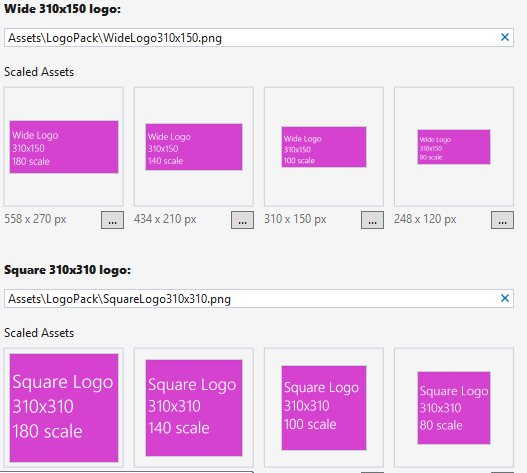
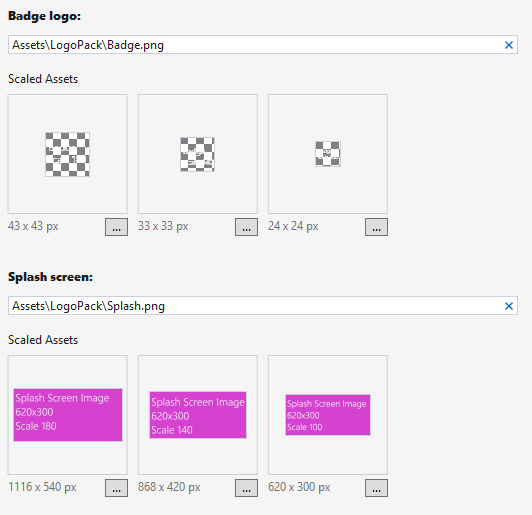
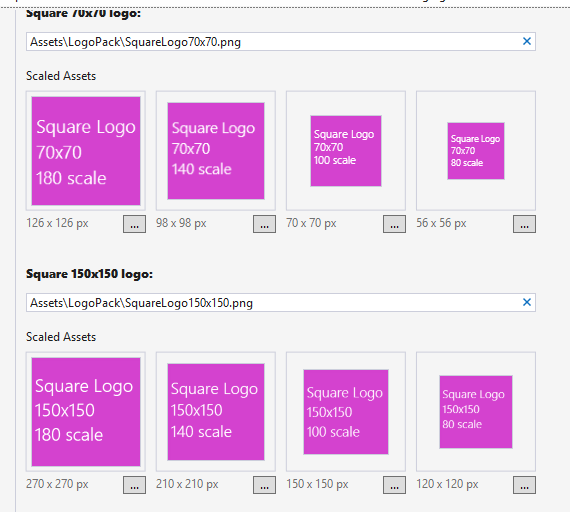 When I develop a Windows Store app, one of the core things you need to do worry about is all the logo’s, splash screens, file icons & lock screen badges. It can be a pain to create these every time – so I have created a logo pack which provides you with ALL thirty three (33) of the images you need.
These images all (but 3 – for badges) have a bright pink background making it easy to see which of your logo’s are using these original place holders compared to those you have updated. They also contain the details (type, dimensions & scale) on them, so you can easily see when one is being used. The three that are for badges are monochromatic as that is a requirement for the badge logos.
The idea is you will use them as place holders for your real logo’s and also as a set you can provide to your designer or graphic artist who now has a base to work with and doesn’t need to figure it out themselves.
The usage of the logo’s is totally free and there is no rights on there usage, so GO WILD! You can download the logo pack below the video, which gives you a quick tutorial on how to use these.

Amazing Lock Screen + Windows 8.1
When the Windows 8.1 Preview came out a few weeks ago I was in no place to test it, because I needed my machine stable for a bunch of conferences I was speaking at. However that didn’t stop a lot of amazing users of the Amazing Lock Screen app, trying it out & finding it did not work!
Since then I have gotten VS 2013 & Windows 8.1 and started to dig into the issue which has confused me for DAYS on end – but yesterday I found out that Microsoft have acknowledged there is a bug in lock screens with Windows 8.1. It is this bug directly breaks Amazing Lock Screen’s ability to changed the lock screen.
Unfortunately until Microsoft issues a patch or the RTM comes out there is very little I can do to correct the issue. This bug is NOT stopping development on the Amazing Lock Screen though & the next release will be the biggest release in a long time with a couple of brand new features in it!
In summary: There is a bug in the OS, Microsoft will fix the bug, the app is still being worked on, is not forgotten & will work on Windows 8.1 in the near future!
Presentation Dump: End of 2012 & First half of 2013 - POPI, JavaScript, Open Source & .NET 4.5 Async
It has been an entire year since my last presentation dump, so following that tradition – here are some of the talks I gave in the last year that were not immediately available:
Protection of Personal Information Bill (POPI)
Description
A short presentation that focuses on the proposed POPI law, how it impacts businesses, technology, IT depts & the cloud. It was based on a draft so some aspects may have changed.
Thoughts
This was a tough talk for me, because the law isn’t something I spend much time focusing on. I spent a lot of time reading the bill & analysis for it and really was impressed how approachable all of it is. This is definitely a law we need to be aware of, but for most companies (who do things correctly now) it will mean either no changes or a slight update to some documents.
Open Source Licensing
Description
This talk focuses on what open source licensing is, how it should be applied inside & outside companies. It also looks at how Open Source != Free.
Thoughts
This talk looks at how open source licensing works & more importantly how it applies to company projects. Once again a bit of legal focus but very valuable info in it!
JavaScript Toolkit
Description
This presentation provides a quick glance at a number of tools that make development with JavaScript easy, quick & bug free. Loads of tools & ideas in it :)
Thoughts
The JavaScript toolkit talk looks at a LOT of tools and libraries for JavaScript & as I do a lot of this day by day – it was easy to get ready & a lot of fun to present.
How to give a great presentation
Description
This slide deck was used to give students an overview on how to give a great presentation, especially a technical presentation. It covers aspects like purposeful movement, technology, slide creation etc....
Thoughts
This is a talk I gave to some students about how to do a great talk & it pulls a lot of my own learning’s & learning’s from experts like Hanselman into it.
.NET 4.5 Async
Description
A look at some of the complexities of .NET 4.5 Async
Thoughts
The newest talk here which covers the Async keyword. The core focus here was not on the simple scenarios but rather to dive into the more complex scenarios and areas of pain that can occur with this new keyword.
JSinSA: Visual Studio - The best tool for web developers.
 Today I got to present to the ever amazing audience at JSinSA (it is one of my favourite conferences, so I may be biased). The talk I gave was very simple: Visual Studio, it is THE BEST tool for web developers, regardless of what technology you use. So if you use ASP.NET, PHP, Ruby, CoffeeScript etc... it does not matter – Visual Studio is right for you!
If you attended and are looking for the slides, demo bits, or a script of the demo – have a look below! For those who couldn’t be there, I have since done a recording of it to YouTube, which is also below!
YouTube
Slides
Nuget: Tips for presentations & life
In the short video below I cover how you can configure Nuget package sources to either local copy, which is great for backups when doing a presentation which relies on Nuget, or the the cache, which can provide an emergency store for recent packages if you have no Internet access.
Windows Store app Development snack: XAMLSPY
For more posts in this series, see the series index.
 The above video shows the great XAMLSPY tool which is a massively helpful tool when working with any XAML based application, like a Windows Store app. XAMLSpy allows you to get insights such as performance & memory usage but for me the real value is when you add it to the application you get a set of small tools to use in the app to help identify and navigate the XAML.
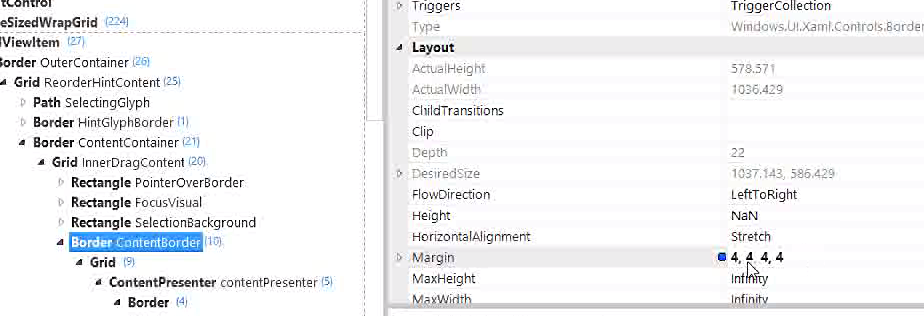 Once you have found the piece of XAML that is causing issues, you can test out your ideas in real time using the real time editor functions which really speeds up development. This is a must have tool for those who really have pride in their craft!
Windows Store app Development snack: Compress your images!
For more posts in this series, see the series index.
This post is both a development snack, i.e. something I think you should know to build better Windows Store apps, as well as being part of the Treasure Map transparency, which are meant to show you how we built a real Windows Store app.
Size Matters
Lab Rat
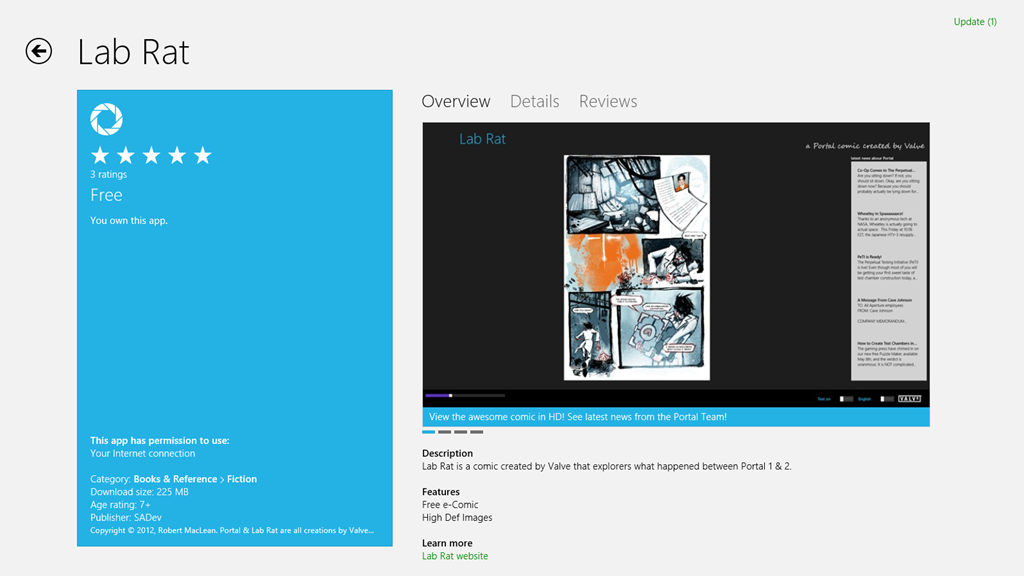 In web development, there is often a concern to get the download size of the page down & there are plenty of tools to help with this (Visual Studio has a lot for CSS & JavaScript) but when we get to app development, size isn’t always as big a concern.
Windows Phone development made 20Mb an important limit, since that meant the download could go over 3G rather than requiring WiFi – this is why my Lab Rat comic book for Windows Phone is 17Mb in size. I made a very conscience choice to ensure it would fit under 20Mb.
Windows Store apps don’t have a similar limit to Windows Phone – so when I was recreating Lab Rat for Windows 8, I just went with the highest resolution images I could so it would look great. This resulted in the download being 225Mb!
Treasure Map
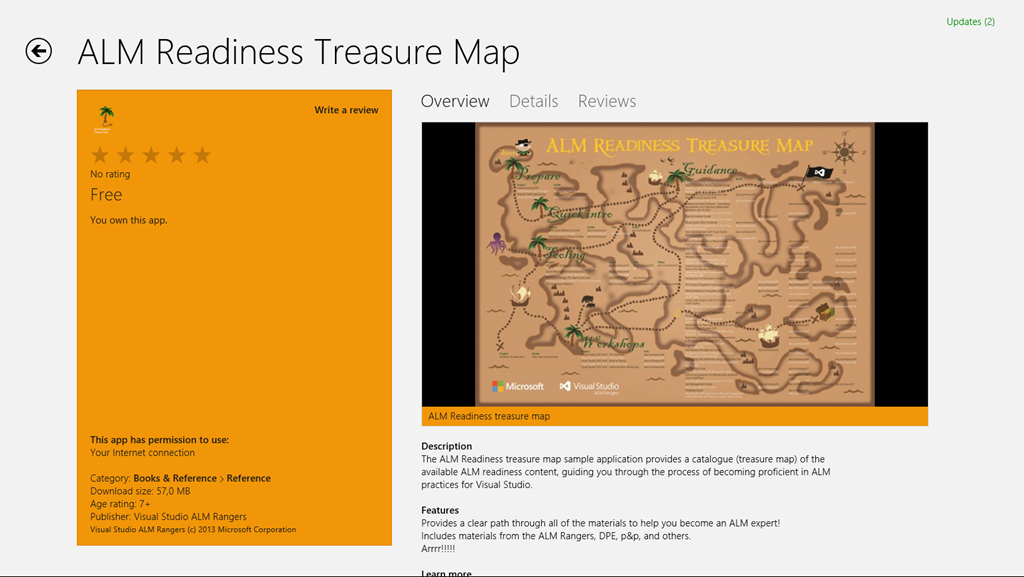 With version 1 of the treasure map, no one really thought of file size either rather focusing on making it look and feel great. Which resulted in it containing a lot of high resolution images and many of them in the JPEG format. When we shipped version 1, we shipped a 57Mb install!
Small is better
For version 2 of the treasure map, one piece of feedback we got (I believe the awesome Mike Fourie raised it) was that it was a big download. So I spent some time looking through our assets and doing some sneaky clean-up and in the process learnt a bit.
JPEG
It’s crap – use PNG. PNG is better quality and for most scenarios is smaller in file size. So in both Lab Rat & Treasure Map the first step was to replace all the JPEG images (including assets like store logo) with PNG.
If you want more info on the differences between JPEG and PNG see this amazing StackOverflow answer.
PNG 32, 24, 16, 8… oh my
 A PNG isn’t PNG – in fact PNG’s can specify the bit depth of each of the channels they support which directly impacts how distinct colours they support. They can also allocate a specific bit in the colours to indicate transparency. However if you do not need transparency, which in the case for the bulk of Lab Rat & Treasure Map is true, you can save bit for a colour.
Very few images will have all 16 million colours that are needed, so if you identify how many unique colours there are, then you can shrink the bit depth which results in a smaller file. I did some work on this and found two pretty interesting tools:
- TinyPNG – a free website to do this. Only downside, one file at a time.
- PNGoo – a free Windows tool that can do bulk changes. Not as easy as the website to use though.
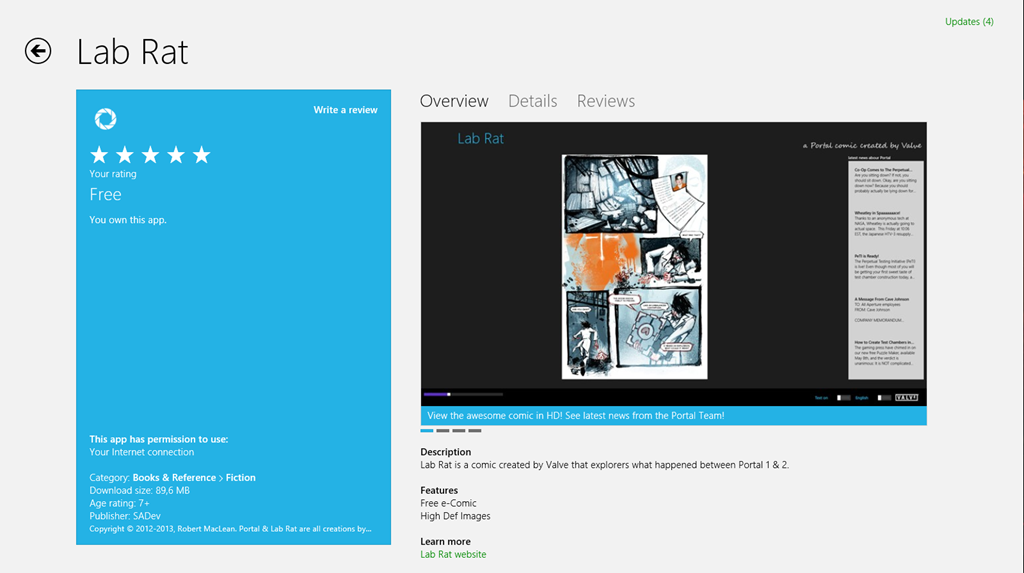
So I ran both Lab Rat & Treasure Map through that and we got a MASSIVE saving in disk.
- Treasure Map went from 57Mb to (approx.) 11Mb – so a saving of 80%. The 11Mb is just a test on my machine and also includes a lot of new resources, so it may change by release.
- Lab Rat went from 225Mb to 89Mb! So a saving of 60%!
Summary
So in summary, use PNG not JPG & make sure you compress your images before you release!