
Windows 8 Boot Camp: Johannesburg 24 May
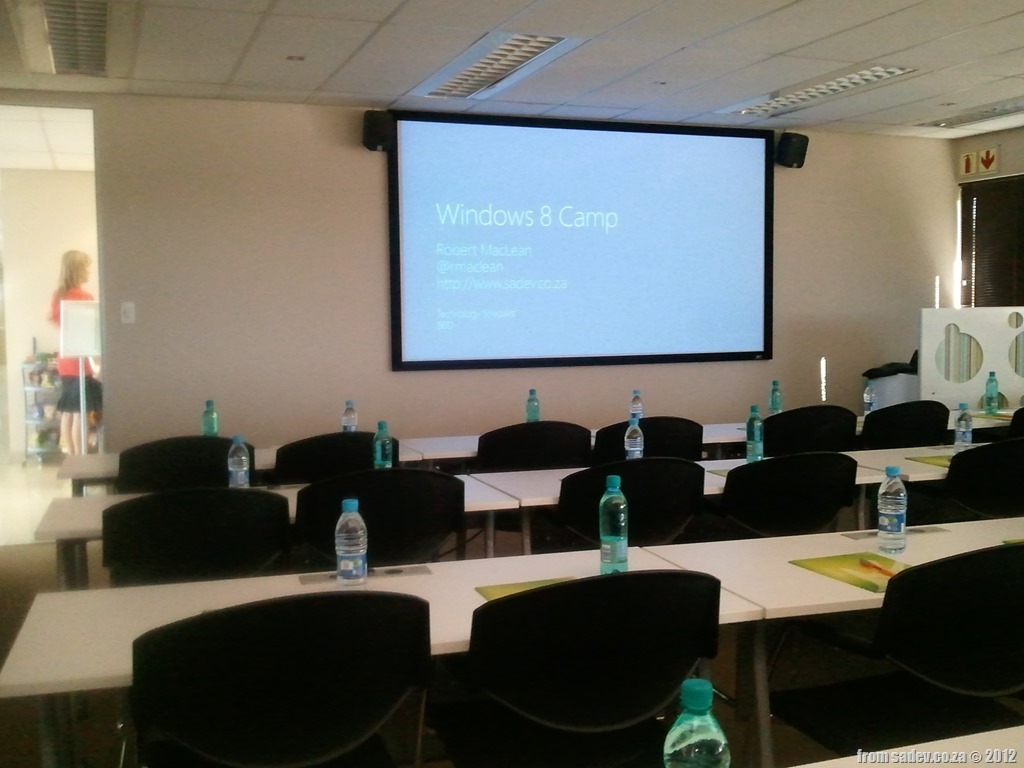
 Yesterday Rudi Grobler & I had awesome fun with a full room of amazing people who took time off work to attend a full day of free Windows 8 training. The audience was amazing, breaking a lot of my expectations of how audiences react at free events, which really honoured Rudi & I to have most people stay to the very end of the day.

For those people who attended the training, or those who didn’t but want the content too:
- You can get the slides: http://bit.ly/win8-slides
- You can get videos from Build on the topics we discussed: http://bit.ly/win8-videos
- The demo’s I built are available to download from below.
JSinSA 2012

 This past weekend was the ever fantastic JavaScript in South Africa (JSinSA) conference. This year focus was on HTML 5, JavaScript & CSS 3 – easily some of the MOST important topics for developers regardless of platform to know about.
It was it’s second year and while I was very lucky to go to it as an attendee in the first year, this year I was even more lucky to be a presenter at the conference. I was also very lucky to present on a topic I am passionate about: Windows 8.
The talk provided an introduction to Windows 8 & how development works, and in the 45mins I was done, we built an application which could take a photo from a web cam and send it to Twitter (the actual photo is to the right).
You can get the slides and bits from the talk below.
Windows 8 for the .NET developer
Last night I presented on Windows 8 for the .NET developer at the fantastic Developer User Group! We had a bumper crowd there which was great and really had some interesting discussions during and after the talk. Thank you to all that attended!
For those looking for the slides, demo script and demo bits they are below!
Windows 8 Bootcamp
 Last week (14th March 2012, to be exact) I had a great opportunity to travel to Cape Town and present the first ever Windows 8 Bootcamp there! (I missed the first in South Africa by two days, that was presented in Jo’burg by Rudi Grobler).
It was a small event, but it was a great day of learning and sharing and what a lovely place it was to present, as you can see from the photos below!
One of the requests from those who attended the event was the demos & slides – however there is a snag, Microsoft owns the slides and they are not ready for them to be publically shared  That said the demo bits are below, so hopefully that will keep you sorted until the slides arrive.

How different is Metro Style (WinRT) development really? The beta post
 Note: Before you read this post, it is using the public consumer preview (beta) of Windows 8, VS 11 & .NET 4.5, so I expect some issues will likely be resolved in later releases. Check the site out for more info!
With the beta of Win8, VS 11 & .NET 4.5 now out I thought I should post again (first post about this can be found here – recommended reading to see how it has improved) how it has improved or changed since the alpha. This is not meant to be an exhaustive list, it is a list of the most common things (where most common is what I use, because I am pretty common  )
)
Namespaces
Namespaces have been polished and there is a much better alignment of the new awesomeness to the old so this is getting much better.
#if NETFX_CORE
    using Windows.UI.Xaml.Controls;
    using Windows.UI.Xaml;
    using Windows.UI.Core;
    using Windows.UI.Xaml.Controls.Primitives;
#else
    using System.Windows.Controls;
    using System.Windows.Controls.Primitives;
#endif
Duplication of INotifyPropertyChanged, ICommand & INotifyCollectionChanged is SOLVED!
I mentioned about the EPIC FAIL of the duplication of core interfaces – that has been solved! 
ObservableCollection<T> is broken is SOLVED!
The double facepalm that was breaking ObservableCollection<T> has also been solved – so this means your Metro style apps are more like your WPF & Silverlight apps than ever before.
User Controls must be created on the main thread is SOLVED!
I did not get a stupid behaviour where a user control had to be created on the main thread, and thankfully that has been solved! You can now create user controls on other threads!
IValueConverter has been changed
Previously the Convert & ConvertBack methods second parameter was a string, now it has been changed to a Type. This is a good move as it allows for better compares, but means any IValueConverters from alpha will be broken and it is a simple change:
//Before broken
public object Convert(object value, string typeName, object parameter, string language)

//After changing type of second parameter = working
public object Convert(object value, Type typeName, object parameter, string language)
Good work image from http://bloggers.com/posts/happy-developer-37379
How different is WinRT really?
Update 29 Feb 2012: There is now a post covering the Consumer Preview/Beta changes: How different is Metro Style (WinRT) development really? The beta post
Note: Before you read this post, it is using the public technical preview of Windows 8, VS 11 & .NET 4.5, so I expect some issues will likely be resolved in later releases. Check the site out for more info!
Recently I have been working on a MVVM framework (it’s the new Hello World project for developers) and I wanted to make sure it worked with WPF, Silverlight & the new hotness: WinRT (or Metro or Windows 8 depending on who you ask). So I started to retrofit the framework and build a demo application at the same time to show it off. I quickly found a bunch of issues that you need to take care of when moving to WinRT.
Namespaces
It has been mentioned since //Build that we will have new namespaces so this should not be a surprise. In my MVVM framework it looks like this:
#if WINRT
    using Windows.UI.Xaml;
    using Windows.UI.Xaml.Controls;
    using Windows.UI.Xaml.Input;
    using Windows.UI.Xaml.Controls.Primitives;
    using Windows.UI.Core;
    using Windows.UI.Xaml.Data;
#else
    using System.Windows;
    using System.Windows.Controls;
    using System.Windows.Input;
    using System.Windows.Controls.Primitives;
    using System.ComponentModel;
#endif
You should be able to spot almost a one to one mapping there, except for the last few, but we will get to those.
Duplication of INotifyPropertyChanged, ICommand & INotifyCollectionChanged
 This issue will affect EVERY developer in WinRT and it is a MASSIVE fail on Microsoft’s part. The INotifyPropertyChanged, ICommand & INotifyCollectionChanged that are used in every XAML based system are not the ones used in WinRT XAML based systems. In fact the framework has TWO of each – one in the old namespace and one in the new namespace. So you will find your databinding just broken with no compiler errors! To solve this you have to switch the namespaces.
ObservableCollection<T> is broken
 Hand in hand with the previous one is that the trusted ObservableCollection<T> no longer works either! It implements the old (wrong INotifyCollectionChanged) and thus all bindings to it are broken. You need to bind to a class that implements IVectorCollection<T>. One problem, the framework doesn’t ship with an implementation! So to bind to collections, you need to build your own collection class or grab a shim (as I chose to).
Proxies & WebRequest
 I used WebRequest in the demo to pull images from Flickr and you know what just worked – proxy settings. The first time ever in .NET! I hope who ever decided that proxies should just work gets an award!
Reflection has added a whole new layer
In non-WinRT we can get all kinds of info on a type directly by working with that type (i.e. Type.GetType). However in WinRT that is not the case! Type.GetType is no longer enough, when you have gotten the type you need to call GetTypeInfo on that to get to all the information on the type. Why this extra layer is here is beyond me.
#if WINRT
                if (control != null && typeof(ButtonBase).GetTypeInfo().IsAssignableFrom(control.GetType().GetTypeInfo()))
#else
#if SILVERLIGHT
                if (control != null && typeof(ButtonBase).IsAssignableFrom(control.GetType()))
#else
                if (control != null && control is ICommandSource)
#endif
#endif
MIA Types & Methods
For a MVVM framework you will have a bit of reflection and so the first thing I noticed is the super handy Types.EmptyTypes is gone! So to have as close to a single code base I am doing this nonsense now 
#if (WINRT)
        private readonly Type[] EmptyTypes = new Type[] { };
#else
        private readonly Type[] EmptyTypes = Type.EmptyTypes;
#endif
There is a fair bit of these missing properties & methods like Type.GetType is missing some of the overloads I have come to love:
#if WINRT
            var viewType = Type.GetType(viewName);
#else
            var viewType = Type.GetType(viewName, true, true);
#endif
Lastly do not expect the trusted methods like GetConstructor, GetMethod or GetProperty to exist. Now we have collections we can iterate over. I admit this is a better option, but some helper methods here would've been useful.
public static MethodInfo GetMethod(this Type type, string methodName, Type[] parameters)
{
    var results = from m in type.GetTypeInfo().DeclaredMethods
                  where m.Name == methodName
                  let methodParameters = m.GetParameters().Select(_ => _.ParameterType).ToArray()
                  where methodParameters.Length == parameters.Length &&
                        !methodParameters.Except(parameters).Any() &&
                        !parameters.Except(methodParameters).Any()
                  select m;

    return results.FirstOrDefault();
}
So be aware when working in reflection be aware that it will work differently.
User Controls must be created on the main thread!
This I do not get at all, but in WPF & Silverlight a background thread can create a user control and pass the content to a Window on the main thread. This is SUPER useful for the creation of content and then when needing popping it into the foreground almost instantly! However WinRT has different ideas, all user controls MUST BE created on the main thread – YUCK!
#if (WINRT)
                Window.Current.Dispatcher.Invoke(CoreDispatcherPriority.High, (s, e) =>
                    {
#endif
                        shell = (IShell)typeof(TShell).GetConstructor(EmptyTypes).Invoke(null);
#if (WINRT)
                    }, this, null);
#endif
Simpson Fail Image from: http://www.thebuzzmedia.com/creator-of-wikipedia-fail-fast-fail-often/
Double face palm image from: http://tvtropes.org/pmwiki/pmwiki.php/Main/FacePalm